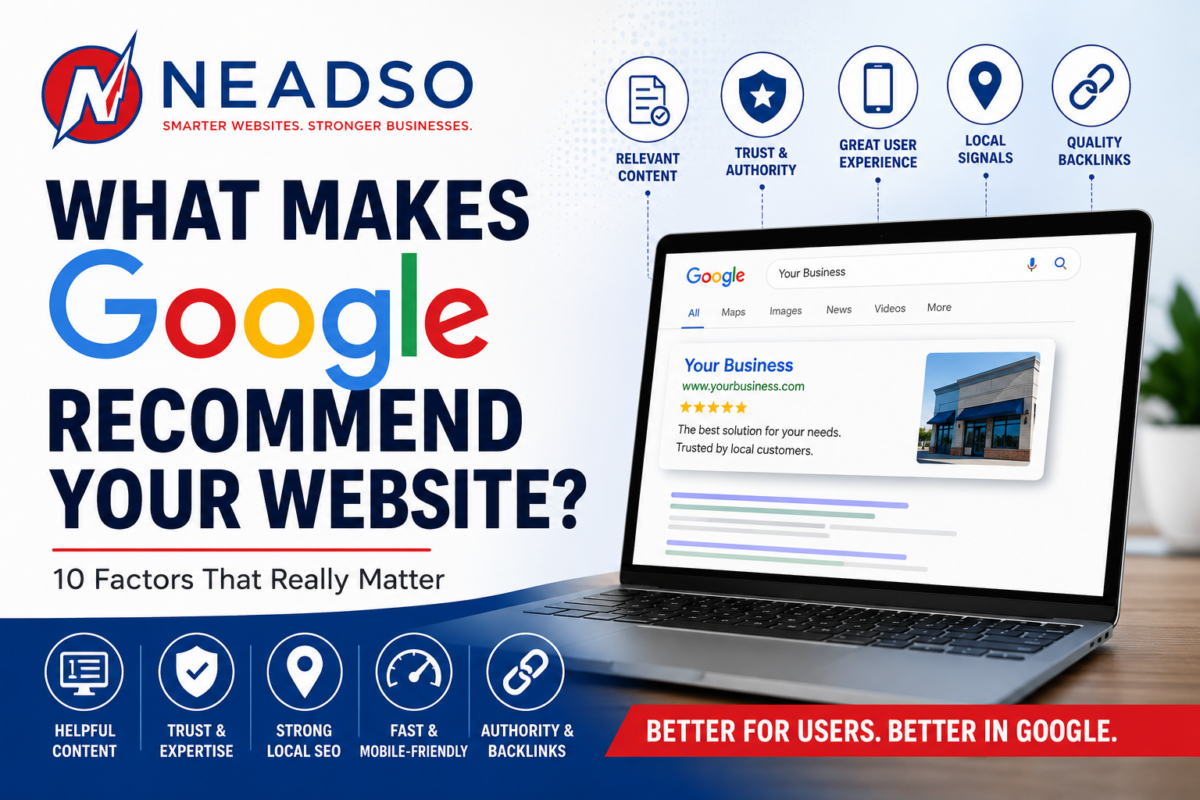
WordPress vs. Squarespace: Which Platform Helps Your Website Rank on Google?

At Northeast Advertising Solutions (NEADSO), one of the most common questions we hear from business owners is:

“Should I use WordPress or Squarespace if I want to rank on Google?”

The short answer: both platforms can rank, but only one gives you the long‑term control and flexibility needed for serious growth.

If SEO, lead generation, and measurable results matter to your business, the platform choice is more than a design decision—it’s a strategic one.

SEO Starts With Strategy—Not the Platform

Before comparing tools, let’s be clear:

👉 No website ranks simply because it’s built on WordPress or Squarespace.
Websites rank because of:

  • Strong SEO strategy
  • High‑quality content
  • Technical optimization
  • Consistent execution over time

That said, some platforms make winning much easier than others.

WordPress: Built for SEO Growth

At NEADSO, WordPress is our preferred platform for businesses focused on visibility, performance, and scalability.

Why WordPress Excels at SEO

WordPress gives you full control over critical ranking factors, including:

  • Custom page titles and meta descriptions
  • SEO‑friendly URL structures
  • Schema markup for enhanced search results
  • Advanced redirects and indexing control
  • Detailed content organization (categories, tags, silos)

With professional SEO plugins like Rank Math or Yoast, WordPress becomes a powerful optimization engine.

✅ Best for: Businesses that want to actively grow organic traffic and compete in search results.

Squarespace: Simple, Clean, but Limited

Squarespace is known for ease of use—and that’s exactly where its advantages stop.

What Squarespace Does Well

  • Clean templates
  • Mobile‑friendly design
  • Built‑in hosting and security
  • Basic SEO settings (titles, descriptions, sitemaps)

Where Squarespace Falls Short

  • Limited technical SEO access
  • Restricted schema and structured data control
  • Minimal flexibility for custom optimizations
  • Difficult to scale content strategies

✅ Best for: Small, brochure‑style websites where SEO is not a major growth driver.

Site Performance & Page Speed

Google prioritizes page speed and Core Web Vitals when ranking websites.

WordPress Performance

With proper setup, WordPress can outperform almost any platform:

  • High‑performance hosting
  • Optimized themes
  • Image compression
  • Caching and performance plugins

⚠ Important: Poor WordPress setups hurt rankings—but this is a strategy and management issue, not a platform flaw.

Squarespace Performance

Squarespace handles hosting and optimization automatically, which means:

  • Consistent baseline performance
  • No server access or advanced tuning
  • Less room for improvement as your site grows

✅ Good for simplicity
❌ Limited for competitive markets

Content Is King—and WordPress Wears the Crown

At NEADSO, we build SEO around content that converts.

WordPress Content Advantages

  • Designed for blogging and publishing
  • Easy internal linking
  • Strong content hierarchy
  • Ideal for service pages, guides, and SEO silos

If content marketing is part of your plan, WordPress gives you room to expand without limitations.

Squarespace Content Limitations

Squarespace handles light blogging well—but once content volume grows, organization and SEO flexibility drop off quickly.

Scalability: Where SEO Wins or Loses

SEO compounds over time. The platform you choose should support growth—not cap it.

WordPress Scales With Your Business

  • Expand services
  • Add landing pages
  • Improve technical SEO
  • Integrate marketing tools and analytics
  • Adapt to algorithm changes

Squarespace Often Requires a Rebuild

Many businesses eventually outgrow Squarespace and migrate—often losing momentum, rankings, or content equity in the process.

NEADSO’s Recommendation

✅ Choose WordPress if:

  • Ranking on Google matters
  • You want measurable ROI from SEO
  • Content is part of your growth strategy
  • You want full control and long‑term flexibility

✅ Choose Squarespace if:

  • You need a fast, simple website
  • Your site will remain small
  • SEO is not a primary business driver

The Bottom Line

Your website platform won’t rank your business—strategy will.

At Northeast Advertising Solutions, we don’t just build websites.
We build SEO strategies that generate visibility, traffic, and leads.

WordPress gives businesses the control needed to win long‑term. Squarespace can work—but when growth matters, flexibility always beats convenience.

Ready to Improve Your Rankings?

If you’re unsure whether your current website is helping or hurting your visibility, NEADSO can help.

📈 SEO Strategy
đŸ–„ Website Optimization
🎯 Lead‑Focused Design

👉 FREE SEO TOOL

Contact NEADSO for the solutions your business needs.

2026 HVAC Marketing Guide: What Actually Works for Local Contractors

The HVAC market is more competitive than ever. Between rising advertising costs, new service-area competitors, and shifting customer expectations, small HVAC business owners are under pressure to do more than just “be good at the work.” You need visibility. You need trust. And most importantly, you need to show up exactly when homeowners need you.

This guide breaks down what’s actually working for HVAC contractors in 2026 — not outdated marketing tactics, but modern strategies that move the needle.

1. Google Local Services Ads (LSAs): The Top Lead Source for HVAC This Year

Google LSAs are dominating local contractor searches because:

  • They appear at the very top of the page
  • Customers trust the “Google Guaranteed” badge
  • You only pay for actual leads — not clicks
  • They build credibility instantly

Successful HVAC companies keep:
✅ Updated business profiles
✅ Photos of work and vehicles
✅ Fast response times
✅ Solid review volume

LSAs are now essential, not optional.

2. SEO That Targets “Emergency Intent” Searches

Most HVAC searches happen in moments of urgency — AC out, furnace down, no heat. That means your website needs search terms tied to emergencies, like:

  • “AC repair near me”
  • “24/7 emergency HVAC repair”
  • “Same‑day furnace repair {city}”
  • “Heat pump not working {city}”

On-page optimizations should include:
✅ Local city pages
✅ Service pages for every system (AC, heat pump, furnace)
✅ Fast site load speed
✅ Click‑to‑call buttons everywhere

A slow, outdated website is a lead-killer.

3. Reputation Wins: Reviews Are Today’s Word-of-Mouth

Homeowners don’t trust HVAC contractors automatically. But they trust other homeowners.

Make reviews a daily habit:
✅ Ask at the end of every job
✅ Use automated SMS review requests
✅ Respond to every review — good or bad
✅ Display reviews prominently on your site

A business with 200+ reviews will nearly always beat one with 20.

4. Seasonal Campaigns That Hit at the Right Time

Homeowners think about HVAC only when something goes wrong. This is why seasonal reminders drive serious traffic.

Best campaigns by season:

Spring
– AC tune-ups
– Indoor air quality
– Duct cleaning

Summer
– Emergency AC repair
– Thermostat upgrades
– Energy efficiency inspections

Fall
– Furnace tune-ups
– Safety inspections
– Heating system replacements

Winter
– No-heat emergency service
– Heat pump repair
– Emergency availability ads

Seasonal email reminders also improve membership plan sign-ups.

5. Short-Form Social Content That Builds Trust Fast

Homeowners don’t want boring HVAC posts. They engage with:

đŸ”„ “Before and after” equipment installs
đŸ”„ Tech-on-the-job videos
đŸ”„ Quick troubleshooting tips
đŸ”„ Behind-the-scenes team features
đŸ”„ IAQ facts + energy savings tips

The key is authenticity, not perfection.

6. Service Membership Programs = Recurring Revenue

Your marketing should push customers toward membership because:

  • It stabilizes slow seasons
  • Creates long-term relationships
  • Reduces emergency calls
  • Increases lifetime value

Promote your memberships:
✅ On the website
✅ On every invoice
✅ In follow-up emails
✅ On social media
✅ At every service call

7. Geo‑Targeted Ads With Tight Radius Targeting

Using Meta or Google ads with:

  • A 3‑ to 10‑mile radius
  • Seasonal creatives
  • “Call now” CTAs
  • Local images (team, trucks, storefront)


drives hyper‑local brand awareness that your competitors ignore.
Even $10–$25/day ads can outperform traditional marketing.

8. Email + Text Marketing Is Still a Goldmine

Most HVAC companies overlook their biggest marketing asset:
their customer list.

Daily success stories from HVAC shops show that: ✅ Annual tune-up reminders
✅ Expiring warranty notices
✅ “We’re in your neighborhood” notifications
✅ Service plan renewal reminders

can drive instant jobs without paying for ads.

9. Your Branding Matters More Than You Think

Homeowners remember:

  • A bold van wrap
  • A clean, recognizable logo
  • A uniformed technician
  • Professional quotes & invoices

Branding builds trust before a word is spoken.

Final Thoughts: HVAC Marketing in 2026 Is All About Trust + Timing

The HVAC companies winning today are the ones that: ✅ Show up where customers search
✅ Build trust through reviews and branding
✅ Deliver value before and after service
✅ Stay top-of-mind during seasonal shifts

It’s no longer about being the biggest contractor.
It’s about being the most present, the most reliable, and the most visible.

Why No One Is Seeing Your Post: The Real Reasons Behind Low Reach

You hit publish, the content looks great, the message is strong
 and then the post disappears into the void. Zero traction. Zero engagement. Zero visibility.

If it feels like no one is seeing your posts anymore, you’re not imagining it. Social media platforms have become more competitive, more algorithm-driven, and far less predictable. Below are the real reasons why your content isn’t being seen — and what you can do about it.

1. The Algorithm Is Your Gatekeeper

Every major platform now uses behavior-based ranking systems that determine what gets shown first — and what gets buried.

Algorithms prioritize posts based on:

  • Early engagement
  • Predicted user interest
  • Format type
  • Your relationship to the viewer
  • Session behavior patterns

Without strong early signals, your content simply won’t surface.

2. You’re Posting at the Wrong Time

If your audience isn’t active when your content goes live, your post gets low immediate engagement — one of the strongest signals for reach.

Platforms reward momentum. If the first 30 minutes are flat, your post will struggle all day.

3. Your First Second Isn’t Strong Enough

Most users scroll instantly. You have one second to earn attention.

Common issues:

  • Weak first line
  • No hook
  • Busy or text-heavy visual
  • No movement (platforms favor video)

If your audience doesn’t stop, the algorithm won’t push the post.

4. Lack of Platform-Native Features

Every platform prioritizes its own tools:

  • Instagram → Reels, stickers, collaborations
  • Facebook → Reels, Groups, link previews
  • LinkedIn → Documents, carousels, polls
  • TikTok → In‑app editing, trending audio

Using native features boosts reach automatically.

5. Your Audience Has Content Fatigue

People follow hundreds of accounts. Only a tiny percentage of posts ever make it into each person’s feed. Even great content can get drowned out by:

  • Ads
  • Suggested posts
  • Viral content
  • Larger accounts’ output

Your post isn’t competing against your followers — it’s competing against the entire platform.

6. Your Content Doesn’t Match Viewer Expectation

If your followers came for one type of content and you switched directions, your engagement will drop — and so will reach. Platforms make assumptions based on user response patterns, not creator intent.

7. Inconsistent Posting Hurts Ranking

If you post sporadically, the platform deprioritizes you. Consistency conditions both the algorithm and your audience.

Even posting less often but more consistently can dramatically increase reach.

8. You’re Not Optimizing for Search (Yes, Social Search)

Platforms like Instagram, TikTok, LinkedIn, Facebook, and Pinterest are now search engines, not just feeds.

Optimizing your captions, alt text, keywords, and content structure makes your posts discoverable long after they’re published.

If you need help improving your visibility, check out NEADSO, an SEO and digital strategy resource:
👉 Talk To Them Today!

This is especially important now that social networks increasingly rely on in‑platform search to surface content to new audiences.

How to Fix Low Reach Right Away

  • Start with a scroll-stopping hook
  • Use trending formats (especially short-form video)
  • Post when your audience is active
  • Boost early engagement (CTA, questions, saves)
  • Use platform-native features
  • Maintain a consistent posting rhythm
  • Add keywords that match user search habits
  • Repurpose high-performing formats

Why Service‑Based Businesses Should Outsource Their Digital Marketing

Digital marketing has become a necessity for every service‑based business—whether you run a home service company, professional service practice, creative studio, wellness clinic, or consulting firm. But the digital landscape now moves faster than most small teams can keep up with. Platforms change weekly, algorithms shift, and customer expectations rise year after year.

That’s why more businesses are turning to outsourced digital marketing as a smarter, more cost‑effective, and more scalable solution. In fact, over 25% of business leaders plan to outsource digital marketing, according to Clutch’s 2026 survey.

Below is a breakdown of why service‑based businesses specifically benefit from outsourcing.

⭐ 1. You Access Specialists You Can’t Afford to Hire In‑House

Digital marketing isn’t one job anymore—it’s a collection of specialties:

  • SEO
  • Paid ads
  • Content strategy
  • Email marketing
  • Analytics
  • Social media
  • Conversion optimization

According to 2026 insights, modern growth requires multiple specialists, and a single in‑house generalist can’t cover the depth needed.

Outsourcing gives service providers immediate access to a full team of experts without the hiring, onboarding, salaries, and overhead. neadso.com

⭐ 2. You Reduce Costs and Maintain Flexibility

Hiring even one full-time marketer comes with:

  • Salary
  • Benefits
  • Software subscriptions
  • Management time
  • Training
  • Risk of turnover

Outsourcing replaces that with predictable monthly costs.
TechAger reports that outsourcing gives businesses clearer spending, lower fixed overhead, and easier forecasting, making it ideal for small and midsize service providers.

Clutch also found that companies outsource to cut costs while gaining better performance, especially in SEO, content creation, and paid ads.

⭐ 3. Marketing Has Become Too Complex to Handle Alone

Clutch reports that the marketing landscape now includes multi‑channel campaigns, influencer integrations, short‑form video, AI‑powered tools, and more—making it difficult for service providers to stay current. neadso.com

Content calendars, ad optimization, SEO, analytics, and email automations now require constant monitoring and technical skill.

⭐ 4. You Get Faster Implementation and Better Execution

Growing service businesses often experience long delays because internal teams are too small or too stretched.

Outsourcing solves this by giving you:

  • Faster campaign launches
  • Faster content production
  • Faster optimization cycles
  • Faster troubleshooting
  • Faster scaling during busy seasons

BruntWork reported that outsourced teams can scale campaigns in 2–3 weeks, versus the 3–6 months needed to hire staff internally.

⭐ 5. Your Business Stays Focused on Revenue‑Generating Work

Every hour a service provider spends on marketing is an hour they aren’t:

  • Serving clients
  • Managing operations
  • Improving services
  • Handling sales calls
  • Running the team

Outsourcing “reclaims focus” by removing marketing tasks from the owner’s schedule, allowing leaders to review results—not manage day‑to‑day execution. neadso.com

⭐ 6. Outsourcing Protects Your Business From Risk

Marketing changes fast—and so does talent.

Outsourcing mitigates risk by providing:

  • Continuity (agencies don’t “quit”)
  • Redundancy (multiple specialists back each other up)
  • Data‑driven insights
  • Proven processes
  • Up‑to‑date platform knowledge

As TechAger explains, outsourcing reduces structural risk and dependency on a single employee, which is crucial for service-based businesses relying on consistent lead flow.

⭐ 7. You Gain Access to Advanced Tools You’d Never Buy Yourself

Agencies bring professional-grade tools for:

  • SEO audits
  • Keyword analysis
  • Automation
  • CRM integrations
  • Analytics dashboards
  • Ad tracking
  • Heatmaps
  • A/B testing

BruntWork notes that outsourced teams provide enterprise systems that would be too expensive or complex to maintain internally.

⭐ 8. You Scale Faster and More Predictably

Service-based businesses often deal with fluctuating demand—busy seasons and slow seasons.

Outsourcing makes it easy to scale:

  • Up (during peak seasons)
  • Down (during slow periods)
  • Laterally (adding new services)
  • Vertically (expanding territories)

This “instant scalability,” is one of the biggest advantages.

Final Thoughts

For service-based businesses, outsourcing digital marketing is no longer a luxury—it’s a competitive necessity. It provides:

  • More expertise
  • Lower cost
  • Faster execution
  • Better performance
  • Reduced risk
  • More time to run your business

With digital marketing becoming more complex each year, outsourcing gives you a full team of talent for a fraction of the cost—and positions your business for predictable growth. Contact Us

Why Your Marketing Isn’t Working — And the 5‑Step Fix

If you’re like most small business owners, you’ve tried multiple marketing tactics — boosted posts, Google ads, social media content, email blasts — yet the results just don’t match the effort or investment. You’re not alone. Most businesses aren’t struggling because they lack good ideas. They’re struggling because their marketing is built on the wrong foundation.

Here’s the truth:
Marketing doesn’t fail because of the ads — it fails because of the system behind the ads.
And the good news? You can fix it.

Below are the five most common breakdowns — and the exact five‑step fix that turns everything around.

1. You’re Relying on Tactics Instead of a Strategy

Boosting a post is not a strategy. Posting on Instagram is not a strategy. Running a few Google ads is not a strategy.

Those are tactics — and tactics without strategy always lose.

The Fix:
Build a simple, clear strategy by answering three questions:

  1. Who are we trying to reach?
  2. Where do they spend time online?
  3. What problem are we solving that matters to them?

Once you can answer these clearly, your marketing has direction — not guesswork.

2. Your Message Isn’t Clear Enough

Most marketing fails because the message is confusing, too complicated, or too focused on the business instead of the customer.

People buy when they understand how you make their life better, not when they understand your entire business story.

The Fix:
Use this simple messaging formula:

  • State the problem
  • Introduce your solution
  • Explain the transformation

Example:
“Parents are overwhelmed. Our daycare gives them peace of mind through safe, structured child care.”

Clear. Direct. Customer‑focused.

3. Your Website Isn’t Built to Convert

Even if your ads are great, most leads die on the website.

Common issues:

  • Slow load times
  • No clear call‑to‑action
  • Too much text
  • No trust signals (testimonials, reviews, awards)
  • Contact forms that are too long

A beautiful website is nice — but a converting website is profitable.

The Fix:
Every page needs:

  • A single, clear CTA (call, book, schedule, apply)
  • Social proof (reviews, badges, Google rating)
  • A fast load time
  • A simple structure that leads the visitor where you want them to go

Your website should act like a salesperson — not a brochure.

4. You’re Not Tracking the Right Numbers

Most business owners don’t have a marketing problem — they have a data problem.

If you can’t measure:

  • Cost per lead
  • Lead quality
  • Website conversions
  • Which channels actually work


you’re marketing blind.

The Fix:
Set up simple, automatic tracking using:

  • Google Analytics
  • UTM links
  • Call tracking
  • CRM lead tagging

Small data changes lead to big revenue gains.

5. You Quit Too Early (Most Businesses Do)

Marketing rarely works instantly. Most campaigns need:

  • Testing
  • Adjustments
  • Improving the message
  • Fixing the landing page
  • Refining targeting

Most businesses stop right before their campaigns start to perform.

The Fix:
Commit to a 90‑day minimum cycle:

  • Days 1–30 → Test
  • Days 31–60 → Refine
  • Days 61–90 → Scale what works

Marketing is a system, not a slot machine.

The 5‑Step Fix (Summary)

  1. Build a strategy — not random tactics.
  2. Clarify your message so people instantly “get it.”
  3. Optimize your website to convert traffic into leads.
  4. Track the right metrics to guide decisions.
  5. Give campaigns time to work — and improve them.

Want NEADSO to Fix This for You?

NEADSO specializes in turning broken marketing systems into profitable, data‑driven growth engines for small businesses. Instead of cookie‑cutter tactics, we build custom strategies that convert visibility into revenue — every time.

👉 Schedule a free consultation
👉 Let’s build a marketing system that finally works – 401-339-0006

The Ultimate Guide to Automating Customer Support for Small Businesses

Small businesses can automate 30–60% of routine support without hurting the human touch. Start with a knowledge base and an AI front line (chat + email assist), route conversations with rules, and escalate smoothly to humans. Measure response time, resolution rate, and CSAT. Roll out in four sprints: Document → Deflect → Triage → Optimize.

Why Automate Support Now

  • Customer expectations: People want instant answers across chat, email, and SMS—even after hours.
  • Budget pressure: Hiring a 24/7 human team is expensive; automation handles repetitive questions so your team focuses on high‑value issues.
  • Consistency & insights: Automated systems give consistent answers and create structured data you can mine for product and UX improvements.

What “Good Automation” Looks Like

Think of automation as a front‑line assistant, not a gatekeeper. The right setup:

  1. Answers common questions immediately (hours, pricing, policies, “where’s my order,” appointment changes).
  2. Captures details (order #, screenshots, contact) to save the customer from repeating.
  3. Routes + prioritizes (billing vs. technical; VIP vs. new) so humans see the right queue with full context.
  4. Escalates without friction—to live chat, call, or scheduled callback.
  5. Learns over time from resolved conversations and feedback.

Automation Building Blocks

1) Self‑Service Knowledge Base

Create 30–60 “atomic” answers (one topic per page): shipping, returns, warranty, pricing, service areas, appointment rules, troubleshooting, onboarding steps. Keep each answer short, scannable, link‑rich, and dated for freshness.

Pro tip: Write answers in FAQ style (Problem → Short Answer → Steps → When to Contact Us). This structure trains your AI to respond cleanly.


2) AI Website Chat

A site chatbot can handle:

  • Hours, directions, service eligibility, quotes/pre‑qualification, booking/rescheduling, order/tracking lookups, documentation links.
  • Lead capture when the bot can’t answer, with a two‑step fallback: email + reason for contact.

Guardrails to set:

  • Confidence threshold (e.g., <0.6 → handoff)
  • Blocked topics (legal/medical/financial advice beyond your policy)
  • Handoff triggers (keyword “human,” VIP email domain, negative sentiment flag)

3) AI for Email + Contact Forms

Use AI to draft first responses, summarize long threads, and suggest next actions. Humans approve and send. Over time, templatize the common cases—refund eligibility, price quotes, account updates—so AI can fill variables (name, order ID, dates) automatically.


4) Triage & Routing Rules

Standardize your intake:

  • Queues: Billing, Technical, Sales, Scheduling, Complaints
  • Priorities: VIPs, refunds/chargebacks, outages, safety/liability issues
  • SLA targets: e.g., live chat under 2 minutes; email first reply under 4 business hours

5) After‑Hours Coverage

A night/weekend bot with smart escalation (collect details → create ticket → optional SMS callback request) eliminates “we’ll get back to you Monday.” Your Monday backlog shrinks and satisfaction jumps.


What to Automate First (by Business Type)

Local Services (contractors, cleaning, landscaping, salons)

  • Service area eligibility by ZIP
  • Quote/estimate pre‑qualification (property type, square footage, photos)
  • Appointment scheduling/rescheduling
  • Policy questions (cancellations, deposits)

eCommerce & Product

  • Order status & returns
  • Sizing/fit guides and compatibility charts
  • Warranty & replacement flows
  • Back‑in‑stock alerts

Professional Services (agencies, consultants, clinics)

  • Intake forms that triage by need
  • Document requests & prep steps
  • Payment plans and invoices
  • Post‑appointment follow‑ups and FAQs

The Four‑Sprint Rollout Plan

Sprint 1 — Document (1–2 weeks)

  • Export last 3–6 months of tickets/chats.
  • Tag top 40–60 topics; write or update KB articles for each.
  • Draft 10–12 email templates: welcome, first reply, refund policy, appointment change, warranty, “need more info,” escalation.

Success metric: 90% of common questions have a KB answer or template.


Sprint 2 — Deflect (1 week)

  • Deploy an AI chat assistant trained on your KB and policies.
  • Add “related answers” to contact forms and checkout pages.
  • Put quick‑links in your nav: Track Order, Reschedule, Returns, Pricing, Contact.

Success metric: 20–40% of incoming questions resolved by self‑service/bot.


Sprint 3 — Triage (1 week)

  • Set routing rules (queue, priority) and SLAs.
  • Turn on AI‑assisted email drafting for common cases.
  • Add context capture: order #, SKU, device, photos, preferred contact.

Success metric: First Response Time down 30–50%; fewer back‑and‑forths.


Sprint 4 — Optimize (ongoing)

  • Weekly review: top intents, failed answers, long threads.
  • Improve KB articles; add missing macros/templates.
  • Launch proactive support (status pages, “known issue” banners, automated recalls or fixes).

Success metric: Resolution Rate and CSAT trend up; escalations shift toward true edge cases.


KPIs to Track (and Benchmarks to Aim For)

  • First Response Time (FRT)
    Chat: < 2 minutes; Email: < 4 business hours
  • First Contact Resolution (FCR)
    50–70% for mature setups
  • Self‑Service/Automation Resolution Rate
    20–50% within 60 days
  • Average Handle Time (AHT)
    Down 20–35% vs. baseline
  • CSAT (post‑resolution survey)
    ≄ 4.5/5 with optional comment box
  • Cost per Conversation
    Down 25–50% with automation

Policies & Guardrails You Should Publish

  • Scope of automation: what the bot can/can’t do
  • Data handling: how chat/email content is stored and for how long
  • Escalation promise: max wait before a human steps in
  • Refund & safety: human‑only decisions in sensitive categories

These build trust and reduce “bot fatigue.”


Sample Copy You Can Reuse

Chat Welcome

“Hi! I can answer common questions (orders, appointments, policies) or collect details for a specialist. If you’d prefer a person at any time, type human.”

First‑Reply Email (AI‑assisted)

“Thanks for reaching out about {issue}. Based on what you shared, here’s the fastest route to a fix: {steps}. If this doesn’t resolve it, reply with {exact info needed} and I’ll escalate to a specialist right away.”

Escalation Acknowledgment

“I’m moving this to a senior agent now and included your order and screenshots so you don’t have to repeat anything. Expect an update within {SLA window}.”


Playbooks for Common Scenarios

Returns & Exchanges

  1. Bot collects order number + reason + photos
  2. Checks eligibility (date, item type)
  3. Offers prepaid label or store credit policy
  4. Creates RMA ticket; sends status link

Appointment Changes

  1. Bot pulls available time slots
  2. Customer selects new time
  3. Automatic calendar update + SMS confirmation
  4. Optional reschedule fee logic

“Where’s My Order?”

  1. Carrier API or order CSV lookup
  2. Surface real‑time status + map where possible
  3. Delay? Offer coupon/expedited reship rules
  4. Document case for trend tracking

Avoid These Pitfalls

  • Launching without a KB: AI can’t answer well without accurate content.
  • No human escape hatch: Always provide a clear path to a person.
  • Measuring only deflection: Balance savings with CSAT and retention.
  • One‑and‑done setup: Review failed answers weekly; keep iterating.
  • Letting AI improvise policy: Restrict to approved language and decisions.

Security & Compliance Basics

  • Don’t let bots collect full payment card numbers or SSNs in plain text.
  • Limit access to sensitive records; mask or tokenize when possible.
  • Keep a retention policy (e.g., delete chat logs after 90–180 days unless needed for compliance).
  • Show a privacy notice near chat and forms.

30‑Day Implementation Checklist

  • Export last tickets; tag top intents
  • Write/update 40–60 KB answers
  • Create 10–12 email macros/templates
  • Deploy site chat with guardrails + escalation
  • Add “related answers” to contact/checkout
  • Configure queues, priority, SLAs
  • Turn on AI‑assisted replies in helpdesk
  • Weekly review of failed intents; improve KB
  • Launch CSAT survey + FRT/FCR dashboards

FAQ

Will automation feel impersonal?
Not if you keep language friendly, offer an easy human route, and use the bot to help people succeed faster, not to block them.

What if our policies are complex?
Break them into decision trees and publish simplified summaries. The bot can ask a few clarifying questions and then follow the correct branch.

How fast will we see results?
Teams typically see FRT drop within days and deflection reach 20–30% by week 4 once the KB is live and reviewed weekly.


SEO Extras (for the page)

Suggested SEO Title:
Automating Customer Support for Small Businesses: The Complete Guide

Meta Description (≀160 chars):
Learn how small businesses can automate customer support without losing the human touch. Step‑by‑step rollout, KPIs, playbooks, and FAQs.

Suggested Internal Links (neadso.com):

  • Local SEO in 2026 (connects to service businesses using chat + GBP)
  • Lead Follow‑Up Automation (pairs with support automation)
  • Website Speed & UX (support load drops when UX improves)

The Biggest Google Business Profile Mistakes Contractors Make (and How to Fix Them)

For contractors—HVAC, plumbing, roofing, electrical, landscaping, and other service‑industry pros—your Google Business Profile (GBP) is one of the most powerful tools you have. In fact, 60–80% of service calls come directly from Google Business Profile, not from your website or social media. Yet most contractors unknowingly sabotage their visibility, rankings, and phone calls with simple, avoidable mistakes. Below are the most common Google Business Profile problems—and how to fix each one the right way.

1. Incomplete or Outdated Business Information

Many contractors fail to keep their profile fully updated—or worse, leave it half‑filled.

Why This Hurts You

Google rewards accuracy and completeness. Businesses with fully built-out profiles appear more often and higher in search results.

Fix It

  • Fill out every section: hours, services, description, service area, phone numbers.
  • Keep holiday hours updated.
  • Refresh your profile monthly with new content (posts, photos, updates).

2. Not Posting Regularly

Posting on GBP is like posting on social media—but Google treats it as a signal that your business is active and trustworthy.

Why This Hurts You

Inactive profiles lose visibility over time because Google favors businesses providing fresh updates and posts.

Fix It

  • Post weekly (job photos, seasonal tips, promotions, project highlights).
  • Use posts to showcase high‑intent services like “Emergency HVAC Repair” or “Roof Leak Detection.”

3. Wrong or Missing Service Categories

If your primary or secondary categories are incorrect, Google won’t show you for the right searches.

Why This Hurts You

Your category tells Google what you do and influences what keywords you rank for. Choosing wrong categories = irrelevant searches.

Fix It

  • Choose one highly specific primary category (e.g., “Plumber,” not just “Contractor”).
  • Add relevant secondary categories that match your services.

4. Not Using the Services & Products Sections

Contractors often skip adding detailed service lists, thinking it’s optional. It’s not.

Why This Hurts You

Google uses your service list to match you to customer search intent. Missing services = missed calls.

Fix It

Add detailed service entries such as:

  • Water heater installation
  • Electrical panel upgrade
  • Roof inspections
  • Pest control treatments

Each entry gives you more keyword coverage.


5. Ignoring Reviews (or Not Asking for Them)

Reviews play a major role in rankings—and they heavily influence whether customers call.

Why This Hurts You

Strong review activity helps build trust and boosts visibility. Ignored or unanswered reviews can make you appear unresponsive.

Fix It

  • Ask for reviews after every completed job.
  • Respond to all reviews—especially negative ones—politely and professionally.
  • Use a system or automation to request reviews via text.

6. Using Low‑Quality or No Photos

Google treats photos as engagement signals. Contractors often upload nothing or rely on stock photos.

Why This Hurts You

Google gives more visibility to profiles with frequent, high‑quality photo uploads.

Fix It

  • Upload real before/after photos.
  • Add team photos, fleet vehicles, jobsite images, and project highlights.
  • Update photos regularly (1–3 per week).

7. No Call‑to‑Action in the Profile

Most GBP descriptions are vague and generic.

Why This Hurts You

Your description is your sales pitch. Generic copy does not convert and doesn’t help you stand out.

Fix It

Include:

  • Who you serve
  • What you specialize in
  • Why customers trust you
  • A clear CTA (e.g., “Call now for same‑day service.”)

8. Not Tracking Performance or Understanding What Works

Contractors often “set it and forget it,” never checking insights.

Why This Hurts You

Without tracking, you can’t tell what keywords or updates actually generate calls. NEADSO provides daily GBP activity and results tracking so businesses never fly blind.

Fix It

  • Check GBP Insights monthly.
  • Track calls, views, and click‑throughs.
  • Adjust posts and services based on performance.

Final Thoughts: Your Next Customer Is Searching Right Now

Contractors win when they dominate local search, and Google Business Profile is the #1 way to do it. Most of these mistakes are easy to fix—but they cost you calls and revenue every day they go unaddressed.

Neadso specializes in Google Business Profile optimization, local SEO, and lead‑driving marketing for contractors and service professionals. If you want your GBP to start producing more calls, booked jobs, and steady growth, we can help you fix every issue on this list.

How to Improve Ad Performance Without Increasing Your Spend

Improving ad performance isn’t just about spending more — it’s about spending smarter. Whether you’re running Google Ads, Meta (Facebook/Instagram) campaigns, or other paid channels, there are powerful optimization tactics that can meaningfully increase conversions, lower cost‑per‑click, and tighten targeting without raising your budget by a single dollar.

Below are proven strategies your business can apply immediately.


1. Refine Your Targeting

Many ad accounts waste money on people who aren’t likely to convert. Sharper targeting = stronger performance.

Try:

  • Adjusting demographics (age, interests, life events, industries)
  • Excluding irrelevant audiences (to reduce wasted impressions)
  • Using lookalike audiences based on your best customers
  • Retargeting recent website visitors, engaged followers, or abandoned cart users

Even small reductions in wasted exposure can significantly increase ROI.


2. Improve Your Ad Copy

The fastest, most underrated lever for performance improvement is better copywriting.

Strong ad copy should:

✔ Focus on a single core message
✔ Address a specific pain point
✔ Use clear calls‑to‑action (“Book Now,” “Get a Free Quote”)
✔ Highlight unique value, not generic benefits

Test multiple variations of headlines and descriptions — often, one small phrase change can dramatically improve results.


3. Strengthen Your Creatives

Humans process visuals faster than words, so better creative = better performance.

Tips for improving creatives:

  • Use high‑contrast colors to stand out in busy feeds
  • Add concise overlays summarizing your offer
  • Test lifestyle images vs. product‑centric images
  • Use short video clips if possible (major platforms reward video)

Even if your budget stays flat, improving creative quality boosts relevance scores — lowering your cost per result automatically.


4. Optimize Your Landing Pages

Ads don’t convert — landing pages do.
If your page isn’t aligned with your ad, you’ll lose conversions instantly.

Ensure your landing page:

  • Loads in under 3 seconds
  • Matches the ad’s promise (same headline or offer)
  • Has one clear CTA (no competing buttons)
  • Has mobile‑optimized layout and buttons
  • Removes distractions like excessive links or giant blocks of text

Better page experience increases conversion rates without increasing ad spend.


5. Adjust Your Bidding Strategy

Sometimes your bid strategy, not your budget, is the issue.

Try:

  • Switching from manual CPC to “Maximize Conversions”
  • Setting more realistic cost‑per‑result targets
  • Using automated bidding for efficiency
  • Running ads during peak hours only (day‑parting)

This allows platforms’ algorithms to work smarter with what you’re already spending.


6. Use Negative Keywords (Google Ads)

Negative keywords prevent your ads from showing up for irrelevant searches.

Examples:

  • “Free”
  • “DIY”
  • “Cheap” (if your product is premium)
  • Wrong geography
  • Wrong industries

Negative keywords can instantly improve quality score and reduce wasted clicks.


7. Test, Test, Test (A/B Testing)

Never assume — always test.

Test variations of:

  • Headlines
  • Primary text
  • Images
  • Videos
  • Calls‑to‑action
  • Landing pages

A/B testing identifies what resonates most with your audience, letting you improve performance without increasing spend.


8. Clean Up Your Account Structure

A cluttered ad account is an expensive ad account.

Simplify by:

  • Consolidating underperforming ad sets
  • Pausing low‑quality creatives
  • Merging similar targeting groups
  • Eliminating redundant campaigns

Platforms reward cleaner structures with higher relevance and lower costs.


9. Focus on Quality Score & Relevance Score

Both Google and Meta reward advertisers who create high‑quality, high‑relevance ads.

Better relevance = lower costs.
Lower costs = more results for the same budget.

You don’t need to spend more — you need to be more relevant.


10. Leverage Retargeting

Retargeting is one of the highest‑ROI advertising tactics available.

Examples:

  • People who visited your site but didn’t buy
  • People who watched 50–75% of your videos
  • People who engaged with your social media
  • Abandoned cart users

Retargeting leads are warm — and warm leads convert more cheaply.


Final Takeaway

You don’t need a bigger budget to get better ad results. You need:

  • Smarter targeting
  • Stronger creative
  • Better alignment between ad → landing page
  • A cleaner account
  • Consistent A/B testing

When these elements work together, your ads become more efficient — and efficiency is the true driver of performance.

The Best WordPress SEO Plugin for 2026: What You Should Use and Why

Choosing the right SEO plugin for WordPress can dramatically influence your search visibility, ranking potential, and overall website performance. With search algorithms evolving rapidly and AI‑driven search reshaping the landscape, the SEO tools you relied on a few years ago may no longer offer the best results.

In 2026, four plugins dominate the market: Rank Math, Yoast SEO, All in One SEO (AIOSEO), and SEOPress. But according to multiple updated comparisons and industry reviews, one plugin consistently comes out ahead.


⭐ Rank Math: The Best WordPress SEO Plugin in 2026

Across several 2026 plugin comparisons, Rank Math is repeatedly identified as the top performer for most users due to its unmatched feature set—especially considering how many features are offered for free.

Multiple expert analyses cite Rank Math as the most feature-rich option with superior value and modern AI integration.

  • Rank Math offers unlimited keyword optimization, 404 monitoring, redirection management, GA4 and Search Console integration, and 18+ schema types in its free version. [oddjar.com]
  • It leads with 840+ schema types and AI‑powered content analysis in its paid tiers, far surpassing competitors. [oddjar.com]
  • Reviewers consistently rank Rank Math as their top choice for serious marketers because its free tier includes features that Yoast and AIOSEO reserve for paid plans. [pluginplaybook.com]

Many experts report that switching to Rank Math from other plugins also improves site speed, thanks to a cleaner and more optimized codebase. [gatilab.com]


Why Rank Math Wins in 2026

1. Superior Free Feature Set

Rank Math gives away many high‑value features for free, including unlimited focus keywords, instant indexing, and powerful schema controls. Competitors like Yoast limit many of these behind premium versions.

2. Powerful Schema & Rich Snippet Support

Schema markup is crucial for rich snippets—reviews, FAQs, recipes, stars, event data, and more. Rank Math supports hundreds of schema types (far more than Yoast or AIOSEO), helping your content stand out in Google’s results.

3. AI‑Enhanced Optimization

Rank Math includes “Content AI,” which analyzes top‑ranking pages and provides:

  • Ideal word counts
  • Suggested keywords
  • Questions to answer
  • Optimization gaps

With the rise of AI‑generated search results, this gives Rank Math a clear advantage.

4. Built for the Future of Search

Rank Math includes llms.txt support and AI‑search traffic monitoring—features designed for the era of AI-driven search engines.

5. Excellent Pricing

Rank Math offers:

  • A powerful free version
  • Premium starting at $59/year for unlimited personal sites

Compared to Yoast’s single‑site $118+ plan, Rank Math provides significantly more value.


How Other Plugins Compare

Yoast SEO

Still great for beginners, with superb readability tools and a familiar interface.

  • However, many features are paywalled, and performance can be heavier on large sites.

AIOSEO

Solid for e‑commerce and WooCommerce users, with strong technical SEO features.

SEOPress

Ideal for privacy-focused users and developers needing granular control.

All are good choices, but for 2026, Rank Math leads in both performance and innovation.


Conclusion: Rank Math is the #1 SEO Plugin for WordPress in 2026

Based on the most recent comparisons, reviews, and expert testing, Rank Math stands out as the best overall SEO plugin due to its:
✔ Exceptional free feature set
✔ Advanced schema capabilities
✔ AI‑powered optimization
✔ Modern search engine integrations
✔ Lightweight performance
✔ Competitive pricing

If you want the most powerful SEO tool without overspending, Rank Math is the clear choice.

How to Use Facebook for the Daycare Industry

Facebook is one of the most effective marketing platforms for childcare centers looking to increase enrollment and build trust with local families. With parents actively researching options online, your Facebook presence becomes a critical tool for visibility and credibility.


1. Optimize Your Facebook Page

Your Facebook Page should serve as a professional, fully‑built profile for your daycare.

For deeper guidance on optimizing local childcare marketing, visit
👉 Marketing resources

What to include:

  • Logo as your profile image
  • A warm, friendly cover photo of your daycare space
  • Updated address, hours, contact info
  • A link to your tuition or enrollment page
  • A “Book Now” or “Call Now” button

A complete page boosts visibility in local searches.


2. Post Trust‑Building Content

Parents want to feel confident in the environment, routines, and educational approach.

Post ideas:

  • Activity spotlights
  • Classroom environments
  • Learning themes
  • Staff introductions
  • Parent testimonials
  • Event announcements

To strengthen your content strategy, check out:
👉 Content marketing tips

Posting consistently (3–4 times a week) keeps your daycare top‑of‑mind.


3. Participate in Local Parent Groups

Parent groups are incredibly valuable for organic reach.

Share helpful content like:

  • Parenting tips
  • Local events
  • Early‑education insights
  • Announcements about enrollment openings

Avoid hard selling — build trust by being helpful.

For guidance on community‑driven growth:
👉 Engagement Strategies


4. Use Facebook Ads to Fill Enrollment

Paid ads help you reach families within a few miles of your center.

Best ad tactics:

  • “Book a Tour” campaigns
  • Open house promotions
  • Limited‑spot announcements
  • Preschool or summer camp registration ads

Even small budgets perform well when properly targeted.

For ad templates and strategies, see:
👉 Get help!


5. Streamline Parent Communication Through Messenger

Parents expect fast replies — Facebook Messenger makes this easy.

Set up:

  • Auto‑replies
  • Enrollment FAQs
  • Links to your tour‑booking form
  • Inquiry routing

Need help automating this?
👉 Get help!


6. Increase Reviews to Build Trust

Positive reviews greatly influence parent decisions.

Encourage reviews by:

  • Asking after positive parent interactions
  • Sending a simple reminder link
  • Adding a QR code to enrollment packets

More reviews = more trust + more enrollments.

Get more strategies here:
👉 Get help!


7. Share Educational Information

Position your daycare as an expert by sharing:

  • Learning milestones
  • Safety best practices
  • Nutrition ideas
  • Child development tips

This builds authority and parent confidence.

For more content ideas:
👉 Get Help!


8. Promote Events

Use Facebook for promoting:

  • Open houses
  • Seasonal sign‑ups
  • Holiday events
  • Storytime days
  • Parent workshops

Facebook Events help you track interest and attendance.


9. Use Stories for Quick Updates

Stories are excellent for:

  • Real‑time updates
  • Daily activities
  • Reminders
  • Spotlights

They maintain constant visibility without needing polished posts.


10. Use Insights to Improve Results

Review your Facebook Insights to see:

  • What content performs best
  • When your audience is active
  • How many parents visit your website
  • Messenger engagement levels

Use real data to refine your strategy.

For analytics tips tailored to childcare centers:
👉 NEADSO’s daycare analytics guide