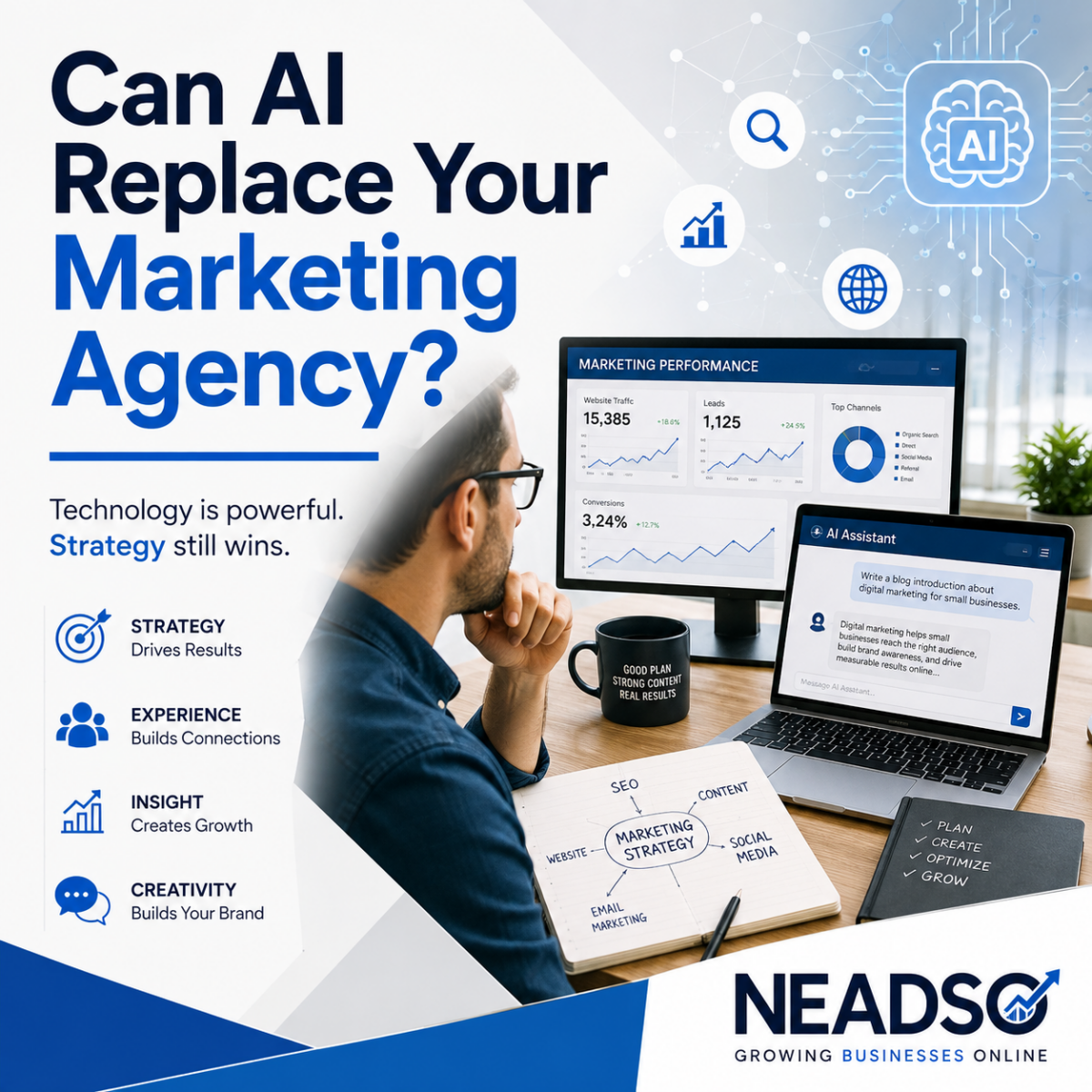
Should You Hire an Agency or Use AI to Rank Your Website?

Artificial intelligence has quickly become one of the most talked‑about tools in digital marketing. From writing blog posts to generating keyword ideas, AI promises faster results, lower costs, and instant execution.

So the question many business owners are now asking is simple:

Should you use AI to rank your website — or hire a marketing agency?

The real answer isn’t as black and white as it seems. Let’s break down what AI can do, where it falls short, and why businesses that rely on rankings for revenue still need expert strategy.

What AI Is Actually Good At for SEO
There’s no denying it — AI can be a powerful tool when used correctly.
AI excels at:

Generating content drafts quickly
Brainstorming topic ideas
Suggesting keywords and variations
Writing meta titles and descriptions
Analyzing surface‑level competitor content
Speeding up research and execution

For businesses that already understand SEO fundamentals, AI can dramatically increase efficiency. It saves time, reduces manual work, and helps scale content production.
But speed alone does not equal results.

Where AI Falls Short (And Why Rankings Stall)

Here’s where many businesses run into trouble.

AI does not understand context, risk, or long‑term strategy. It produces information based on patterns, not business goals or search engine nuance.

AI cannot:

  • Recognize real‑time Google algorithm changes
  • Diagnose technical SEO problems safely
  • Decide which keywords actually convert into revenue
  • Build authority through relationships and backlinks
  • Adapt strategy when results plateau
  • Protect your site from over‑optimization or penalties

In fact, many sites using AI alone end up:

  • Publishing thin or repetitive content
  • Over‑optimizing keywords unintentionally
  • Ignoring local SEO opportunities
  • Ranking for traffic that doesn’t convert
  • Plateauing after initial gains

AI will happily give you an answer — but it won’t tell you if it’s the right answer.

Ranking a Website Is More Than Writing Content

One of the biggest misconceptions about SEO is that it’s just about content.

In reality, ranking involves:

  • Technical site health
  • Page structure and internal linking
  • Search intent alignment
  • Local visibility signals
  • Conversion optimization
  • User behavior metrics
  • Authority and trust signals

AI might help write a blog post — but it doesn’t build a cohesive system that turns visibility into revenue.

That’s where strategy matters.

What a Marketing Agency Brings That AI Can’t

A professional agency brings experience, accountability, and judgment — the things AI lacks.

A good agency:

  • Builds a custom SEO strategy around your business goals
  • Understands how Google behaves in your specific industry
  • Balances content, technical SEO, local search, and paid channels
  • Uses data to guide decisions — not guesses
  • Adjusts strategy as algorithms and trends change
  • Measures success by leads, calls, and sales, not just rankings

At NEADSO, we’ve seen firsthand that rankings without conversion are meaningless. Traffic is only valuable if it produces growth.

AI doesn’t understand your margins.
AI doesn’t know your customers.
AI doesn’t care if your phone rings.

An experienced agency does.

The Smartest Approach: Strategy + AI (Not One or the Other)

The most successful businesses don’t choose AI instead of an agency.

They choose:

  • Expert strategy powered by AI tools
  • Human oversight controlling execution
  • AI assisting with speed, research, and scale
  • Experience guiding decisions and risk management

Used correctly, AI becomes an accelerator — not a replacement.

Think of AI as the engine.
The agency is the driver, the map, and the mechanic.

Without direction, even the fastest engine goes nowhere.

When AI Alone Might Make Sense

Using AI without an agency may be acceptable if:

  • SEO is not mission‑critical to your revenue
  • You already understand SEO deeply
  • You’re comfortable experimenting and learning slowly
  • Short‑term results matter more than long‑term growth

For most businesses, however, SEO mistakes are expensive — not just in rankings, but in lost opportunities.

When Hiring an Agency Is the Better Choice

Hiring an agency is the smarter move when:

  • Rankings directly impact revenue
  • You want predictable, scalable growth
  • You need results without risking penalties
  • You want strategy aligned with conversion
  • You don’t want to guess your way forward

SEO isn’t about gaming algorithms. It’s about building visibility that turns into customers.

Final Thoughts: AI Is a Tool — Strategy Is the Advantage

AI is transforming digital marketing, and it’s here to stay. But tools alone don’t create success — strategy does.

AI replaces repetitive tasks. AI speeds up execution. AI improves efficiency.

But AI does not replace experience.

The businesses winning in search are the ones combining:

  • Human expertise
  • Data‑driven strategy
  • Smart use of AI tools
  • Ongoing optimization and adaptation

At NEADSO, we believe AI should support your marketing — not run it.

Want to learn how an expert‑led strategy, powered by modern tools, can help your business grow?
👉 Learn more at neadso.com

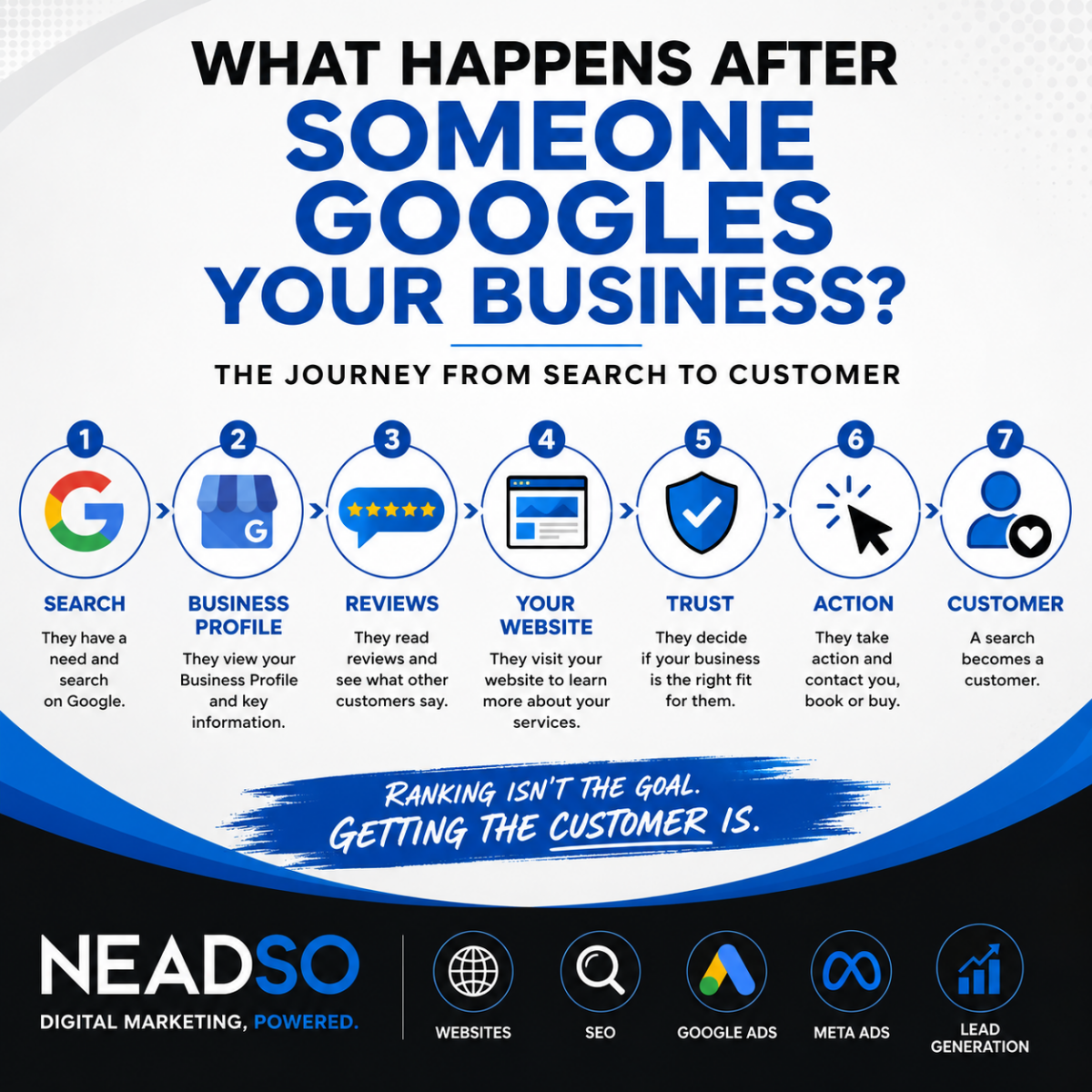
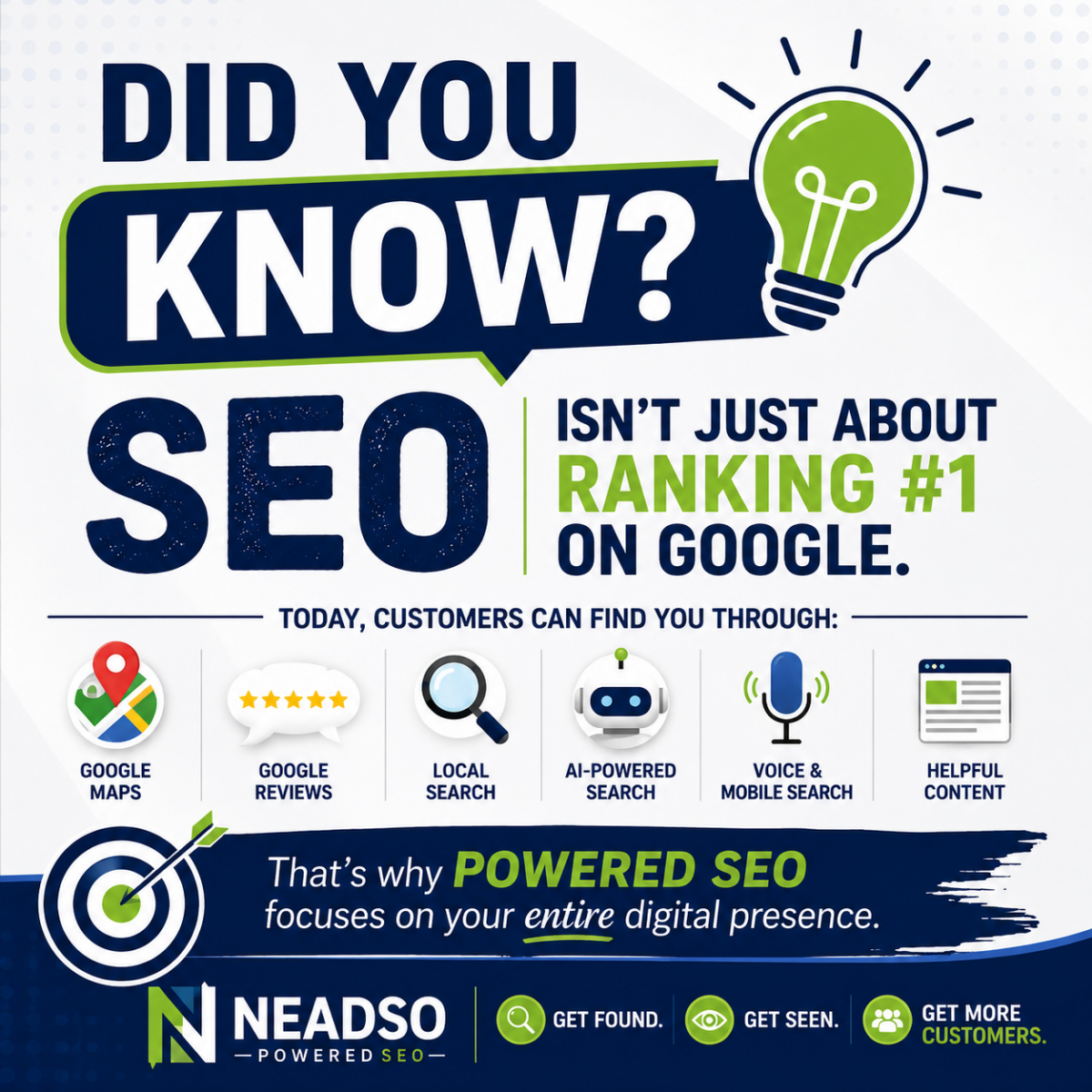
How Google Really Finds Your Business

If you’ve ever asked yourself, “Why doesn’t my business show up on Google?” — you’re not alone.
Many business owners assume Google magically finds and ranks their website. In reality, Google follows a very specific process to discover, understand, and rank businesses online.

Understanding how this process works is the first step to improving your visibility and attracting more customers.

1. Google Needs to Find You First

Before Google can rank your business, it has to know you exist.

Google finds businesses in several key ways:

  • Your website
  • Your Google Business Profile
  • Mentions of your business on other websites
  • Social media and directory listings

If your business is missing or inconsistent across these places, Google may struggle to trust or show your information.

Tip: If your website isn’t properly built or indexed, Google may never fully “see” it.

2. Your Website Tells Google What You Do

Google doesn’t “see” your website the way people do.
Instead, it reads code, words, structure, and signals to understand:

  • What your business offers
  • Where you are located
  • Who your services are for

Clear page titles, readable content, and location-specific keywords help Google accurately categorize your business.

For example:

“Window Installation in Rhode Island” is clearer than
“Quality Services You Can Trust”

The clearer your message, the easier it is for Google to match your business to real searches.

3. Location Matters More Than You Think

When people search things like:

  • “urgent care near me”
  • “window blinds in Rhode Island”
  • “marketing agency Charlestown RI”

Google prioritizes businesses that clearly show where they are located.

This comes from:

  • Your Google Business Profile
  • Your website’s contact and location pages
  • Consistent business name, address, and phone number (NAP)

If your location data is inconsistent across the web, Google may rank a competitor instead.

4. Google Looks for Trust Signals

Google’s main goal is to show users businesses they can trust.
To decide this, Google looks for signals like:

  • Reviews and ratings
  • Website security (HTTPS)
  • How often your site is updated
  • Links from other reputable websites
  • Professional design and usability

A neglected or outdated website sends the wrong message — not just to customers, but to Google.

5. Content Helps Google Understand Your Authority

Google favors businesses that educate and provide value.

Helpful content shows Google:

  • You understand your industry
  • Your website is active
  • You answer real customer questions

Examples of strong content include:

  • Blog articles
  • Service explanations
  • FAQs
  • Location-based pages

This is why blogging and regular updates play a big role in long-term SEO success.

6. Consistency Is Key

One of the biggest mistakes businesses make is being inconsistent online.

Google expects:

  • The same business name everywhere
  • The same address formatting
  • The same phone number

Even small variations can hurt your credibility in search results.

Consistency builds confidence — for Google and for customers.

7. SEO Is Not Instant — It’s a Process

Google doesn’t rank businesses overnight.

SEO success comes from:

  • Clean website structure
  • Clear messaging
  • Ongoing content updates
  • Long-term consistency

The businesses that rank well are usually the ones that committed to doing it right — not the ones looking for shortcuts.

What This Means for Your Business

If Google isn’t sending customers your way, it’s usually not about luck.
It’s about visibility, clarity, trust, and consistency.

Understanding how Google really finds your business allows you to:

  • Make smarter marketing decisions
  • Avoid wasted effort
  • Build long-term growth online

Need Help Improving Your Visibility?

At Northeast Advertising Solutions, we help businesses build websites and digital strategies that Google understands — and customers trust.

If you’re ready to improve how your business shows up online, we’re here to help.

WordPress vs. Squarespace: Which Platform Helps Your Website Rank on Google?

At Northeast Advertising Solutions (NEADSO), one of the most common questions we hear from business owners is:

“Should I use WordPress or Squarespace if I want to rank on Google?”

The short answer: both platforms can rank, but only one gives you the long‑term control and flexibility needed for serious growth.

If SEO, lead generation, and measurable results matter to your business, the platform choice is more than a design decision—it’s a strategic one.

SEO Starts With Strategy—Not the Platform

Before comparing tools, let’s be clear:

👉 No website ranks simply because it’s built on WordPress or Squarespace.
Websites rank because of:

  • Strong SEO strategy
  • High‑quality content
  • Technical optimization
  • Consistent execution over time

That said, some platforms make winning much easier than others.

WordPress: Built for SEO Growth

At NEADSO, WordPress is our preferred platform for businesses focused on visibility, performance, and scalability.

Why WordPress Excels at SEO

WordPress gives you full control over critical ranking factors, including:

  • Custom page titles and meta descriptions
  • SEO‑friendly URL structures
  • Schema markup for enhanced search results
  • Advanced redirects and indexing control
  • Detailed content organization (categories, tags, silos)

With professional SEO plugins like Rank Math or Yoast, WordPress becomes a powerful optimization engine.

✅ Best for: Businesses that want to actively grow organic traffic and compete in search results.

Squarespace: Simple, Clean, but Limited

Squarespace is known for ease of use—and that’s exactly where its advantages stop.

What Squarespace Does Well

  • Clean templates
  • Mobile‑friendly design
  • Built‑in hosting and security
  • Basic SEO settings (titles, descriptions, sitemaps)

Where Squarespace Falls Short

  • Limited technical SEO access
  • Restricted schema and structured data control
  • Minimal flexibility for custom optimizations
  • Difficult to scale content strategies

✅ Best for: Small, brochure‑style websites where SEO is not a major growth driver.

Site Performance & Page Speed

Google prioritizes page speed and Core Web Vitals when ranking websites.

WordPress Performance

With proper setup, WordPress can outperform almost any platform:

  • High‑performance hosting
  • Optimized themes
  • Image compression
  • Caching and performance plugins

⚠ Important: Poor WordPress setups hurt rankings—but this is a strategy and management issue, not a platform flaw.

Squarespace Performance

Squarespace handles hosting and optimization automatically, which means:

  • Consistent baseline performance
  • No server access or advanced tuning
  • Less room for improvement as your site grows

✅ Good for simplicity
❌ Limited for competitive markets

Content Is King—and WordPress Wears the Crown

At NEADSO, we build SEO around content that converts.

WordPress Content Advantages

  • Designed for blogging and publishing
  • Easy internal linking
  • Strong content hierarchy
  • Ideal for service pages, guides, and SEO silos

If content marketing is part of your plan, WordPress gives you room to expand without limitations.

Squarespace Content Limitations

Squarespace handles light blogging well—but once content volume grows, organization and SEO flexibility drop off quickly.

Scalability: Where SEO Wins or Loses

SEO compounds over time. The platform you choose should support growth—not cap it.

WordPress Scales With Your Business

  • Expand services
  • Add landing pages
  • Improve technical SEO
  • Integrate marketing tools and analytics
  • Adapt to algorithm changes

Squarespace Often Requires a Rebuild

Many businesses eventually outgrow Squarespace and migrate—often losing momentum, rankings, or content equity in the process.

NEADSO’s Recommendation

✅ Choose WordPress if:

  • Ranking on Google matters
  • You want measurable ROI from SEO
  • Content is part of your growth strategy
  • You want full control and long‑term flexibility

✅ Choose Squarespace if:

  • You need a fast, simple website
  • Your site will remain small
  • SEO is not a primary business driver

The Bottom Line

Your website platform won’t rank your business—strategy will.

At Northeast Advertising Solutions, we don’t just build websites.
We build SEO strategies that generate visibility, traffic, and leads.

WordPress gives businesses the control needed to win long‑term. Squarespace can work—but when growth matters, flexibility always beats convenience.

Ready to Improve Your Rankings?

If you’re unsure whether your current website is helping or hurting your visibility, NEADSO can help.

📈 SEO Strategy
đŸ–„ Website Optimization
🎯 Lead‑Focused Design

👉 FREE SEO TOOL

Contact NEADSO for the solutions your business needs.

2026 HVAC Marketing Guide: What Actually Works for Local Contractors

The HVAC market is more competitive than ever. Between rising advertising costs, new service-area competitors, and shifting customer expectations, small HVAC business owners are under pressure to do more than just “be good at the work.” You need visibility. You need trust. And most importantly, you need to show up exactly when homeowners need you.

This guide breaks down what’s actually working for HVAC contractors in 2026 — not outdated marketing tactics, but modern strategies that move the needle.

1. Google Local Services Ads (LSAs): The Top Lead Source for HVAC This Year

Google LSAs are dominating local contractor searches because:

  • They appear at the very top of the page
  • Customers trust the “Google Guaranteed” badge
  • You only pay for actual leads — not clicks
  • They build credibility instantly

Successful HVAC companies keep:
✅ Updated business profiles
✅ Photos of work and vehicles
✅ Fast response times
✅ Solid review volume

LSAs are now essential, not optional.

2. SEO That Targets “Emergency Intent” Searches

Most HVAC searches happen in moments of urgency — AC out, furnace down, no heat. That means your website needs search terms tied to emergencies, like:

  • “AC repair near me”
  • “24/7 emergency HVAC repair”
  • “Same‑day furnace repair {city}”
  • “Heat pump not working {city}”

On-page optimizations should include:
✅ Local city pages
✅ Service pages for every system (AC, heat pump, furnace)
✅ Fast site load speed
✅ Click‑to‑call buttons everywhere

A slow, outdated website is a lead-killer.

3. Reputation Wins: Reviews Are Today’s Word-of-Mouth

Homeowners don’t trust HVAC contractors automatically. But they trust other homeowners.

Make reviews a daily habit:
✅ Ask at the end of every job
✅ Use automated SMS review requests
✅ Respond to every review — good or bad
✅ Display reviews prominently on your site

A business with 200+ reviews will nearly always beat one with 20.

4. Seasonal Campaigns That Hit at the Right Time

Homeowners think about HVAC only when something goes wrong. This is why seasonal reminders drive serious traffic.

Best campaigns by season:

Spring
– AC tune-ups
– Indoor air quality
– Duct cleaning

Summer
– Emergency AC repair
– Thermostat upgrades
– Energy efficiency inspections

Fall
– Furnace tune-ups
– Safety inspections
– Heating system replacements

Winter
– No-heat emergency service
– Heat pump repair
– Emergency availability ads

Seasonal email reminders also improve membership plan sign-ups.

5. Short-Form Social Content That Builds Trust Fast

Homeowners don’t want boring HVAC posts. They engage with:

đŸ”„ “Before and after” equipment installs
đŸ”„ Tech-on-the-job videos
đŸ”„ Quick troubleshooting tips
đŸ”„ Behind-the-scenes team features
đŸ”„ IAQ facts + energy savings tips

The key is authenticity, not perfection.

6. Service Membership Programs = Recurring Revenue

Your marketing should push customers toward membership because:

  • It stabilizes slow seasons
  • Creates long-term relationships
  • Reduces emergency calls
  • Increases lifetime value

Promote your memberships:
✅ On the website
✅ On every invoice
✅ In follow-up emails
✅ On social media
✅ At every service call

7. Geo‑Targeted Ads With Tight Radius Targeting

Using Meta or Google ads with:

  • A 3‑ to 10‑mile radius
  • Seasonal creatives
  • “Call now” CTAs
  • Local images (team, trucks, storefront)


drives hyper‑local brand awareness that your competitors ignore.
Even $10–$25/day ads can outperform traditional marketing.

8. Email + Text Marketing Is Still a Goldmine

Most HVAC companies overlook their biggest marketing asset:
their customer list.

Daily success stories from HVAC shops show that: ✅ Annual tune-up reminders
✅ Expiring warranty notices
✅ “We’re in your neighborhood” notifications
✅ Service plan renewal reminders

can drive instant jobs without paying for ads.

9. Your Branding Matters More Than You Think

Homeowners remember:

  • A bold van wrap
  • A clean, recognizable logo
  • A uniformed technician
  • Professional quotes & invoices

Branding builds trust before a word is spoken.

Final Thoughts: HVAC Marketing in 2026 Is All About Trust + Timing

The HVAC companies winning today are the ones that: ✅ Show up where customers search
✅ Build trust through reviews and branding
✅ Deliver value before and after service
✅ Stay top-of-mind during seasonal shifts

It’s no longer about being the biggest contractor.
It’s about being the most present, the most reliable, and the most visible.

Why No One Is Seeing Your Post: The Real Reasons Behind Low Reach

You hit publish, the content looks great, the message is strong
 and then the post disappears into the void. Zero traction. Zero engagement. Zero visibility.

If it feels like no one is seeing your posts anymore, you’re not imagining it. Social media platforms have become more competitive, more algorithm-driven, and far less predictable. Below are the real reasons why your content isn’t being seen — and what you can do about it.

1. The Algorithm Is Your Gatekeeper

Every major platform now uses behavior-based ranking systems that determine what gets shown first — and what gets buried.

Algorithms prioritize posts based on:

  • Early engagement
  • Predicted user interest
  • Format type
  • Your relationship to the viewer
  • Session behavior patterns

Without strong early signals, your content simply won’t surface.

2. You’re Posting at the Wrong Time

If your audience isn’t active when your content goes live, your post gets low immediate engagement — one of the strongest signals for reach.

Platforms reward momentum. If the first 30 minutes are flat, your post will struggle all day.

3. Your First Second Isn’t Strong Enough

Most users scroll instantly. You have one second to earn attention.

Common issues:

  • Weak first line
  • No hook
  • Busy or text-heavy visual
  • No movement (platforms favor video)

If your audience doesn’t stop, the algorithm won’t push the post.

4. Lack of Platform-Native Features

Every platform prioritizes its own tools:

  • Instagram → Reels, stickers, collaborations
  • Facebook → Reels, Groups, link previews
  • LinkedIn → Documents, carousels, polls
  • TikTok → In‑app editing, trending audio

Using native features boosts reach automatically.

5. Your Audience Has Content Fatigue

People follow hundreds of accounts. Only a tiny percentage of posts ever make it into each person’s feed. Even great content can get drowned out by:

  • Ads
  • Suggested posts
  • Viral content
  • Larger accounts’ output

Your post isn’t competing against your followers — it’s competing against the entire platform.

6. Your Content Doesn’t Match Viewer Expectation

If your followers came for one type of content and you switched directions, your engagement will drop — and so will reach. Platforms make assumptions based on user response patterns, not creator intent.

7. Inconsistent Posting Hurts Ranking

If you post sporadically, the platform deprioritizes you. Consistency conditions both the algorithm and your audience.

Even posting less often but more consistently can dramatically increase reach.

8. You’re Not Optimizing for Search (Yes, Social Search)

Platforms like Instagram, TikTok, LinkedIn, Facebook, and Pinterest are now search engines, not just feeds.

Optimizing your captions, alt text, keywords, and content structure makes your posts discoverable long after they’re published.

If you need help improving your visibility, check out NEADSO, an SEO and digital strategy resource:
👉 Talk To Them Today!

This is especially important now that social networks increasingly rely on in‑platform search to surface content to new audiences.

How to Fix Low Reach Right Away

  • Start with a scroll-stopping hook
  • Use trending formats (especially short-form video)
  • Post when your audience is active
  • Boost early engagement (CTA, questions, saves)
  • Use platform-native features
  • Maintain a consistent posting rhythm
  • Add keywords that match user search habits
  • Repurpose high-performing formats

Why Service‑Based Businesses Should Outsource Their Digital Marketing

Digital marketing has become a necessity for every service‑based business—whether you run a home service company, professional service practice, creative studio, wellness clinic, or consulting firm. But the digital landscape now moves faster than most small teams can keep up with. Platforms change weekly, algorithms shift, and customer expectations rise year after year.

That’s why more businesses are turning to outsourced digital marketing as a smarter, more cost‑effective, and more scalable solution. In fact, over 25% of business leaders plan to outsource digital marketing, according to Clutch’s 2026 survey.

Below is a breakdown of why service‑based businesses specifically benefit from outsourcing.

⭐ 1. You Access Specialists You Can’t Afford to Hire In‑House

Digital marketing isn’t one job anymore—it’s a collection of specialties:

  • SEO
  • Paid ads
  • Content strategy
  • Email marketing
  • Analytics
  • Social media
  • Conversion optimization

According to 2026 insights, modern growth requires multiple specialists, and a single in‑house generalist can’t cover the depth needed.

Outsourcing gives service providers immediate access to a full team of experts without the hiring, onboarding, salaries, and overhead. neadso.com

⭐ 2. You Reduce Costs and Maintain Flexibility

Hiring even one full-time marketer comes with:

  • Salary
  • Benefits
  • Software subscriptions
  • Management time
  • Training
  • Risk of turnover

Outsourcing replaces that with predictable monthly costs.
TechAger reports that outsourcing gives businesses clearer spending, lower fixed overhead, and easier forecasting, making it ideal for small and midsize service providers.

Clutch also found that companies outsource to cut costs while gaining better performance, especially in SEO, content creation, and paid ads.

⭐ 3. Marketing Has Become Too Complex to Handle Alone

Clutch reports that the marketing landscape now includes multi‑channel campaigns, influencer integrations, short‑form video, AI‑powered tools, and more—making it difficult for service providers to stay current. neadso.com

Content calendars, ad optimization, SEO, analytics, and email automations now require constant monitoring and technical skill.

⭐ 4. You Get Faster Implementation and Better Execution

Growing service businesses often experience long delays because internal teams are too small or too stretched.

Outsourcing solves this by giving you:

  • Faster campaign launches
  • Faster content production
  • Faster optimization cycles
  • Faster troubleshooting
  • Faster scaling during busy seasons

BruntWork reported that outsourced teams can scale campaigns in 2–3 weeks, versus the 3–6 months needed to hire staff internally.

⭐ 5. Your Business Stays Focused on Revenue‑Generating Work

Every hour a service provider spends on marketing is an hour they aren’t:

  • Serving clients
  • Managing operations
  • Improving services
  • Handling sales calls
  • Running the team

Outsourcing “reclaims focus” by removing marketing tasks from the owner’s schedule, allowing leaders to review results—not manage day‑to‑day execution. neadso.com

⭐ 6. Outsourcing Protects Your Business From Risk

Marketing changes fast—and so does talent.

Outsourcing mitigates risk by providing:

  • Continuity (agencies don’t “quit”)
  • Redundancy (multiple specialists back each other up)
  • Data‑driven insights
  • Proven processes
  • Up‑to‑date platform knowledge

As TechAger explains, outsourcing reduces structural risk and dependency on a single employee, which is crucial for service-based businesses relying on consistent lead flow.

⭐ 7. You Gain Access to Advanced Tools You’d Never Buy Yourself

Agencies bring professional-grade tools for:

  • SEO audits
  • Keyword analysis
  • Automation
  • CRM integrations
  • Analytics dashboards
  • Ad tracking
  • Heatmaps
  • A/B testing

BruntWork notes that outsourced teams provide enterprise systems that would be too expensive or complex to maintain internally.

⭐ 8. You Scale Faster and More Predictably

Service-based businesses often deal with fluctuating demand—busy seasons and slow seasons.

Outsourcing makes it easy to scale:

  • Up (during peak seasons)
  • Down (during slow periods)
  • Laterally (adding new services)
  • Vertically (expanding territories)

This “instant scalability,” is one of the biggest advantages.

Final Thoughts

For service-based businesses, outsourcing digital marketing is no longer a luxury—it’s a competitive necessity. It provides:

  • More expertise
  • Lower cost
  • Faster execution
  • Better performance
  • Reduced risk
  • More time to run your business

With digital marketing becoming more complex each year, outsourcing gives you a full team of talent for a fraction of the cost—and positions your business for predictable growth. Contact Us

Why Your Marketing Isn’t Working — And the 5‑Step Fix

If you’re like most small business owners, you’ve tried multiple marketing tactics — boosted posts, Google ads, social media content, email blasts — yet the results just don’t match the effort or investment. You’re not alone. Most businesses aren’t struggling because they lack good ideas. They’re struggling because their marketing is built on the wrong foundation.

Here’s the truth:
Marketing doesn’t fail because of the ads — it fails because of the system behind the ads.
And the good news? You can fix it.

Below are the five most common breakdowns — and the exact five‑step fix that turns everything around.

1. You’re Relying on Tactics Instead of a Strategy

Boosting a post is not a strategy. Posting on Instagram is not a strategy. Running a few Google ads is not a strategy.

Those are tactics — and tactics without strategy always lose.

The Fix:
Build a simple, clear strategy by answering three questions:

  1. Who are we trying to reach?
  2. Where do they spend time online?
  3. What problem are we solving that matters to them?

Once you can answer these clearly, your marketing has direction — not guesswork.

2. Your Message Isn’t Clear Enough

Most marketing fails because the message is confusing, too complicated, or too focused on the business instead of the customer.

People buy when they understand how you make their life better, not when they understand your entire business story.

The Fix:
Use this simple messaging formula:

  • State the problem
  • Introduce your solution
  • Explain the transformation

Example:
“Parents are overwhelmed. Our daycare gives them peace of mind through safe, structured child care.”

Clear. Direct. Customer‑focused.

3. Your Website Isn’t Built to Convert

Even if your ads are great, most leads die on the website.

Common issues:

  • Slow load times
  • No clear call‑to‑action
  • Too much text
  • No trust signals (testimonials, reviews, awards)
  • Contact forms that are too long

A beautiful website is nice — but a converting website is profitable.

The Fix:
Every page needs:

  • A single, clear CTA (call, book, schedule, apply)
  • Social proof (reviews, badges, Google rating)
  • A fast load time
  • A simple structure that leads the visitor where you want them to go

Your website should act like a salesperson — not a brochure.

4. You’re Not Tracking the Right Numbers

Most business owners don’t have a marketing problem — they have a data problem.

If you can’t measure:

  • Cost per lead
  • Lead quality
  • Website conversions
  • Which channels actually work


you’re marketing blind.

The Fix:
Set up simple, automatic tracking using:

  • Google Analytics
  • UTM links
  • Call tracking
  • CRM lead tagging

Small data changes lead to big revenue gains.

5. You Quit Too Early (Most Businesses Do)

Marketing rarely works instantly. Most campaigns need:

  • Testing
  • Adjustments
  • Improving the message
  • Fixing the landing page
  • Refining targeting

Most businesses stop right before their campaigns start to perform.

The Fix:
Commit to a 90‑day minimum cycle:

  • Days 1–30 → Test
  • Days 31–60 → Refine
  • Days 61–90 → Scale what works

Marketing is a system, not a slot machine.

The 5‑Step Fix (Summary)

  1. Build a strategy — not random tactics.
  2. Clarify your message so people instantly “get it.”
  3. Optimize your website to convert traffic into leads.
  4. Track the right metrics to guide decisions.
  5. Give campaigns time to work — and improve them.

Want NEADSO to Fix This for You?

NEADSO specializes in turning broken marketing systems into profitable, data‑driven growth engines for small businesses. Instead of cookie‑cutter tactics, we build custom strategies that convert visibility into revenue — every time.

👉 Schedule a free consultation
👉 Let’s build a marketing system that finally works – 401-339-0006

The Ultimate Guide to Automating Customer Support for Small Businesses

Small businesses can automate 30–60% of routine support without hurting the human touch. Start with a knowledge base and an AI front line (chat + email assist), route conversations with rules, and escalate smoothly to humans. Measure response time, resolution rate, and CSAT. Roll out in four sprints: Document → Deflect → Triage → Optimize.

Why Automate Support Now

  • Customer expectations: People want instant answers across chat, email, and SMS—even after hours.
  • Budget pressure: Hiring a 24/7 human team is expensive; automation handles repetitive questions so your team focuses on high‑value issues.
  • Consistency & insights: Automated systems give consistent answers and create structured data you can mine for product and UX improvements.

What “Good Automation” Looks Like

Think of automation as a front‑line assistant, not a gatekeeper. The right setup:

  1. Answers common questions immediately (hours, pricing, policies, “where’s my order,” appointment changes).
  2. Captures details (order #, screenshots, contact) to save the customer from repeating.
  3. Routes + prioritizes (billing vs. technical; VIP vs. new) so humans see the right queue with full context.
  4. Escalates without friction—to live chat, call, or scheduled callback.
  5. Learns over time from resolved conversations and feedback.

Automation Building Blocks

1) Self‑Service Knowledge Base

Create 30–60 “atomic” answers (one topic per page): shipping, returns, warranty, pricing, service areas, appointment rules, troubleshooting, onboarding steps. Keep each answer short, scannable, link‑rich, and dated for freshness.

Pro tip: Write answers in FAQ style (Problem → Short Answer → Steps → When to Contact Us). This structure trains your AI to respond cleanly.


2) AI Website Chat

A site chatbot can handle:

  • Hours, directions, service eligibility, quotes/pre‑qualification, booking/rescheduling, order/tracking lookups, documentation links.
  • Lead capture when the bot can’t answer, with a two‑step fallback: email + reason for contact.

Guardrails to set:

  • Confidence threshold (e.g., <0.6 → handoff)
  • Blocked topics (legal/medical/financial advice beyond your policy)
  • Handoff triggers (keyword “human,” VIP email domain, negative sentiment flag)

3) AI for Email + Contact Forms

Use AI to draft first responses, summarize long threads, and suggest next actions. Humans approve and send. Over time, templatize the common cases—refund eligibility, price quotes, account updates—so AI can fill variables (name, order ID, dates) automatically.


4) Triage & Routing Rules

Standardize your intake:

  • Queues: Billing, Technical, Sales, Scheduling, Complaints
  • Priorities: VIPs, refunds/chargebacks, outages, safety/liability issues
  • SLA targets: e.g., live chat under 2 minutes; email first reply under 4 business hours

5) After‑Hours Coverage

A night/weekend bot with smart escalation (collect details → create ticket → optional SMS callback request) eliminates “we’ll get back to you Monday.” Your Monday backlog shrinks and satisfaction jumps.


What to Automate First (by Business Type)

Local Services (contractors, cleaning, landscaping, salons)

  • Service area eligibility by ZIP
  • Quote/estimate pre‑qualification (property type, square footage, photos)
  • Appointment scheduling/rescheduling
  • Policy questions (cancellations, deposits)

eCommerce & Product

  • Order status & returns
  • Sizing/fit guides and compatibility charts
  • Warranty & replacement flows
  • Back‑in‑stock alerts

Professional Services (agencies, consultants, clinics)

  • Intake forms that triage by need
  • Document requests & prep steps
  • Payment plans and invoices
  • Post‑appointment follow‑ups and FAQs

The Four‑Sprint Rollout Plan

Sprint 1 — Document (1–2 weeks)

  • Export last 3–6 months of tickets/chats.
  • Tag top 40–60 topics; write or update KB articles for each.
  • Draft 10–12 email templates: welcome, first reply, refund policy, appointment change, warranty, “need more info,” escalation.

Success metric: 90% of common questions have a KB answer or template.


Sprint 2 — Deflect (1 week)

  • Deploy an AI chat assistant trained on your KB and policies.
  • Add “related answers” to contact forms and checkout pages.
  • Put quick‑links in your nav: Track Order, Reschedule, Returns, Pricing, Contact.

Success metric: 20–40% of incoming questions resolved by self‑service/bot.


Sprint 3 — Triage (1 week)

  • Set routing rules (queue, priority) and SLAs.
  • Turn on AI‑assisted email drafting for common cases.
  • Add context capture: order #, SKU, device, photos, preferred contact.

Success metric: First Response Time down 30–50%; fewer back‑and‑forths.


Sprint 4 — Optimize (ongoing)

  • Weekly review: top intents, failed answers, long threads.
  • Improve KB articles; add missing macros/templates.
  • Launch proactive support (status pages, “known issue” banners, automated recalls or fixes).

Success metric: Resolution Rate and CSAT trend up; escalations shift toward true edge cases.


KPIs to Track (and Benchmarks to Aim For)

  • First Response Time (FRT)
    Chat: < 2 minutes; Email: < 4 business hours
  • First Contact Resolution (FCR)
    50–70% for mature setups
  • Self‑Service/Automation Resolution Rate
    20–50% within 60 days
  • Average Handle Time (AHT)
    Down 20–35% vs. baseline
  • CSAT (post‑resolution survey)
    ≄ 4.5/5 with optional comment box
  • Cost per Conversation
    Down 25–50% with automation

Policies & Guardrails You Should Publish

  • Scope of automation: what the bot can/can’t do
  • Data handling: how chat/email content is stored and for how long
  • Escalation promise: max wait before a human steps in
  • Refund & safety: human‑only decisions in sensitive categories

These build trust and reduce “bot fatigue.”


Sample Copy You Can Reuse

Chat Welcome

“Hi! I can answer common questions (orders, appointments, policies) or collect details for a specialist. If you’d prefer a person at any time, type human.”

First‑Reply Email (AI‑assisted)

“Thanks for reaching out about {issue}. Based on what you shared, here’s the fastest route to a fix: {steps}. If this doesn’t resolve it, reply with {exact info needed} and I’ll escalate to a specialist right away.”

Escalation Acknowledgment

“I’m moving this to a senior agent now and included your order and screenshots so you don’t have to repeat anything. Expect an update within {SLA window}.”


Playbooks for Common Scenarios

Returns & Exchanges

  1. Bot collects order number + reason + photos
  2. Checks eligibility (date, item type)
  3. Offers prepaid label or store credit policy
  4. Creates RMA ticket; sends status link

Appointment Changes

  1. Bot pulls available time slots
  2. Customer selects new time
  3. Automatic calendar update + SMS confirmation
  4. Optional reschedule fee logic

“Where’s My Order?”

  1. Carrier API or order CSV lookup
  2. Surface real‑time status + map where possible
  3. Delay? Offer coupon/expedited reship rules
  4. Document case for trend tracking

Avoid These Pitfalls

  • Launching without a KB: AI can’t answer well without accurate content.
  • No human escape hatch: Always provide a clear path to a person.
  • Measuring only deflection: Balance savings with CSAT and retention.
  • One‑and‑done setup: Review failed answers weekly; keep iterating.
  • Letting AI improvise policy: Restrict to approved language and decisions.

Security & Compliance Basics

  • Don’t let bots collect full payment card numbers or SSNs in plain text.
  • Limit access to sensitive records; mask or tokenize when possible.
  • Keep a retention policy (e.g., delete chat logs after 90–180 days unless needed for compliance).
  • Show a privacy notice near chat and forms.

30‑Day Implementation Checklist

  • Export last tickets; tag top intents
  • Write/update 40–60 KB answers
  • Create 10–12 email macros/templates
  • Deploy site chat with guardrails + escalation
  • Add “related answers” to contact/checkout
  • Configure queues, priority, SLAs
  • Turn on AI‑assisted replies in helpdesk
  • Weekly review of failed intents; improve KB
  • Launch CSAT survey + FRT/FCR dashboards

FAQ

Will automation feel impersonal?
Not if you keep language friendly, offer an easy human route, and use the bot to help people succeed faster, not to block them.

What if our policies are complex?
Break them into decision trees and publish simplified summaries. The bot can ask a few clarifying questions and then follow the correct branch.

How fast will we see results?
Teams typically see FRT drop within days and deflection reach 20–30% by week 4 once the KB is live and reviewed weekly.


SEO Extras (for the page)

Suggested SEO Title:
Automating Customer Support for Small Businesses: The Complete Guide

Meta Description (≀160 chars):
Learn how small businesses can automate customer support without losing the human touch. Step‑by‑step rollout, KPIs, playbooks, and FAQs.

Suggested Internal Links (neadso.com):

  • Local SEO in 2026 (connects to service businesses using chat + GBP)
  • Lead Follow‑Up Automation (pairs with support automation)
  • Website Speed & UX (support load drops when UX improves)